With support solutions for the home and office, My Computer Works is here to help you get back to your life.
Can Your Phone Battery be 100% Healthy Again? Try this Phone Calibration Trick
Article Summary
- Calibration fixes reporting, not damage or wear and tear: It helps your phone report battery levels correctly, but it doesn’t fix a worn battery or restore lost capacity.
- iPhones usually calibrate themselves: Apple’s software handles battery reporting in the background, so manual calibration is only useful when there are obvious percentage errors.
- Calibration can help with sudden drops and shutdowns: If battery percentages change quickly, freeze, or cause the device to shut down unexpectedly, one careful calibration cycle can fix the readings.
- Calibration should only be done if there is an issue: Full battery drains can shorten a battery’s life, so calibration is best used to fix problems.
- You can also calibrate your laptop: If the battery itself is worn out, you will need to replace it.
Phone batteries are known to test our patience, especially when they seem to change their readings without warning. With the introduction of newer, snazzier smartphones each year, we’ve had many people call us at My Computer Works for tech help. This is because their phones seem fully charged one minute and then suddenly run out of battery the next.
This may seem alarming, but this kind of behavior doesn’t always mean that there is a big problem, thank goodness. Although batteries do wear out over time, sudden power loss is often caused by wrong battery readings rather than actual failure.
So, instead of assuming that the battery is beyond repair, it’s worth looking into whether battery calibration or phone battery calibration can help it give more accurate readings of its power levels and improve the predictability of your battery life.
What Does Battery Calibration Mean
Battery calibration is about correcting incorrect information, not addressing physical wear. Phones don’t really “know” how much battery power is left; instead, they use software to figure it out, which can become less accurate over time as the phone ages and your usage changes. When this happens, the percentage on the screen may no longer match the battery’s actual state.
That’s where phone battery calibration comes in because when you recalibrate, the system relearns what fully charged and fully drained really looks like. It doesn’t increase capacity or reverse aging, but it does fix incorrect data so that power levels show accurate information you can trust.
Unfortunately, this means that when people ask, “How can I make my battery health 100% again?”, calibration might not be the answer they need, but it does give them a clear indication of whether the issue is hardware or software.
iPhones Manage Batteries Automatically
Apple has invested heavily in automated battery management to ensure every customer’s iPhone battery health is consistently at optimal levels. To keep reporting accurate data over time and reduce unnecessary wear, iOS tracks how often you charge your device, the temperature, and how you use it.
Because of this, a lot of iPhones refine battery estimates in the background using iPhone battery calibration systems. Apple has also put out updates to fix the problem with some models that showed wrong battery health information, and because of these updates, you don’t need to manually calibrate your iPhone battery very often unless you see clear problems. So, long story short…when everything seems stable, it’s usually best to let iOS handle it.
When Might Calibration Help
Calibration is helpful when the battery’s behavior doesn’t match the percentage reading. But how will you know this is the case? Simple. You must look out for a few common warning signs, including sudden drops from moderate charge levels, unexpected shutdowns, or percentages that freeze or jump.
Calibration can also help after major software updates or long periods when you have not used your phone. Unfortunately, in these situations, battery monitoring systems can get confused, so calibration could be necessary. And you should know that even though calibration can’t improve battery health, it can fix reporting issues and reduce unpleasant surprises.
Calibrate Your iPhone or Android Phone With These Easy Steps
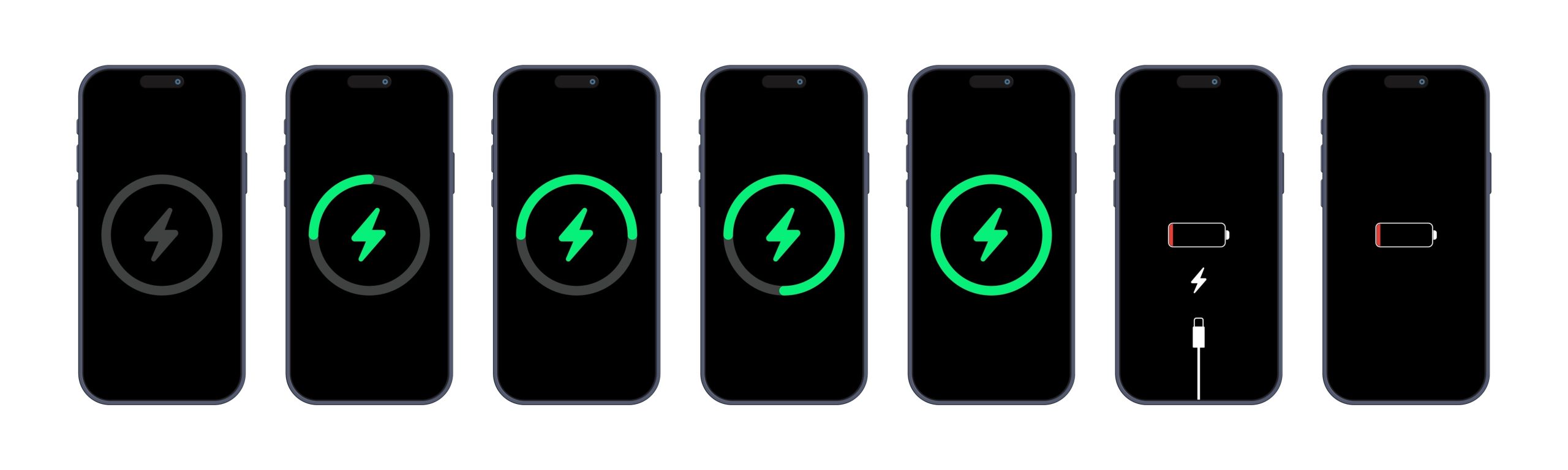
Calibration is easy, but it’s not something you should rush through. If you have an iPhone, use it normally until the battery runs out and it shuts down. Then, give it a short break and charge it to 100% without interruption. After it reaches full charge, leave it plugged in for a short time to complete iPhone battery calibration.
The same idea applies to Android battery calibration on Android devices. All you need to do is let the battery drain until it is completely depleted and the phone shuts down. Then you need to keep it on charge until it’s full in a single uninterrupted session. Make sure you allow a little extra charging time after reaching 100 percent.
What Happens If the Battery Is Not Calibrated
Battery percentages stop being useful when calibration fails. It is hard to plan around charging and unexpected shutdowns (which could also be battery wear) if they occur at inconvenient times while you are still using the device. This is where regular maintenance and tech support from a trusted service like My Computer Works can help you get your phone to properly display battery percentages again.
How Long Does a Phone Battery Take to Calibrate
Calibration usually takes one full charging cycle. This can last anywhere from four to twelve hours, depending on the charger used and the device’s make and model. Sometimes, a second charging cycle may help if the readings are still very inaccurate.
But frequent deep discharges put significant stress on lithium-ion batteries. Because of this, calibration should be done only when there is a problem, not as part of your routine. When used correctly, it improves the percentages you see without shortening battery life.
Can You Calibrate a Laptop Battery
Yes, and the battery calibration laptop process works the same way as phone calibration. Many laptops have built-in calibration or diagnostic tools in the BIOS or system utilities. Often, you’ll discover this when searching for PC help online.
As with phones, calibration helps fix battery reporting errors, especially when laptops shut down sooner than they should have. Yet, it doesn’t restore lost capacity if the hardware is actually causing the problems. If the battery has sustained significant wear and tear, the best thing to do is replace it.
The Wrap-Up On Battery Calibration Tricks
We’ll be honest with you. A battery calibration won’t fix everything, but it’s a good way to keep your batteries in good shape when the percentages no longer make sense, and the phone just randomly dies without warning. It won’t stop aging, but it can make devices much more reliable in terms of percentages displayed and give you the right direction on what fix is actually needed.
If your phone or laptop still behaves strangely after calibration, consider professional IT support, and you need not look any further than us. Our team at My Computer Works provides reliable guidance for everyday issues. Get in touch today to make using your phone more reliable.